Posts

Showing posts with the label DBMS

Choose Network DBMS!
Image
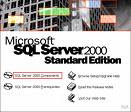
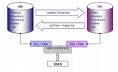
Well, it's not to say that we must choose Database management system like SQL Server, MySQL or Oracle and not use Local DBMS anymore like using Access, Paradox, etc. For some university students who are studying in Informatics University these days should write some application programs using Network DBMS and not allowed to use Local DBMS anymore. For some programmer who use visual basic 6.0 usually they make application program combined with SQL Server 2000. And for some Delphi programmers they are also use SQL Server or Oracle for database. So, it's still fair enough, if we still make application program and combined with Local DBMS like Visual basic 6.0 and Microsoft Access, and Delphi Program with Paradox. But these days, we realize, programming era goes to Open source programming, like using Java or Visual basic.Net, C++.Net and others, So, are we ready?
How to make database in SQL Server 2000

Image
Well, we must have known about Database Management System of SQL Server 2000, right. Yup, the DBMS manufactured by Microsoft and for some programmers these days who use software from Microsoft, Borland and other be enjoy using this DBMS. In this section, we will learn on how to make database in SQL Server 2000 with query Analizer, why Query analizer, we hope by studying T-SQL we can be familiar to other similar DBMS like MySQL and Oracle, here we are : Firstly, log on to MS-SQL Server --> Query Analizer, in GUI of Query analizer, firstly we can find six default DBMS like Master, Nortwind and others : 2. Create database try_DB , it means after you write create database database_name, press F5 yo execute 3. Use try_DB . Then, for instance, we are going to make table of Student, so we make code bellow : Create table Student( Id_number char(7) primary key, Name varchar(35) not null, faculty varchar(35), Department varchar(30), Mail varchar(50)) Well, the last, how to appear on window, h...

How to make database in Mysql

Image
We must knowabout Mysql, right? it's free of charge and running in all OS platform like unix, Windows, sun solaris. At this occasion, we can be easy to make database in Mysql. At this occasion, suppose we have already got Php Tried, you can download it at www.phpgeek.com. so, what's should we do : 1. go to windows Explorer, then click on drivce C:/ 2. click on Apache --> Mysql --> Bin --> winMySqlAdmin, the function of WinMysqlAdmin is to fill in UserName and Password 3. the last is see whether there is a tools of three lamps, if the lamps is green lighting, so we already to use Mysql. So, how can we make database on MySql, please follow these steps below : 1. Click Start --> All programs --> Accesories --> Command Prompt 2. We should change dir, first, type this statements C:/program Files/... /CD\ 3. type from promt C:>cd Apache 4. type C:>Apache/ cd Mysql 5. type C:>Apache/Mysql/Bin 6. type Mysql so, all statement is C:>Apache/Mysql/Bin/...