Posts

Showing posts with the label Operating system

Download File O.S -- Security

Dear, my University Students, I uploaded file of Operating System, for today sessions, I really apologize, the meeting using ICT now. Here is the link : Download Security O.S for Final Test (UAS), Learn about Deadlock prevention, Avoidance, Security and some meaning of malicious program such as

Download O.S linux william stalling

Dear my universities student, I really sorry I couldn't come to the class to teach, because there is still final test in ITB. As a change, please download the material and make "resume" from page 11 up to 14, and the task should be print out and give to the Lecture in the next meeting. Here is the link Download O.S Linux OK, Sorry.., and have doing the task.

O.S Quize for Class MI-14

Image
Some questions : 1. what are benefits and disadvantages of some operating systems (Ubuntu 9.10, Open Solaris 10, Windows 7 and Free BSD), explain them clearly! 2. Explain about three state of process management (ready, blocked and suspended)! 3. Explain about term of deadlock and give a sample. 4. Explain about the starvation and give the sample. 5. Suppose you work as technician, and given a job to sett architecture of computer (analysis and design from O.S which is suitable, computer for client server architecture, some programming that can be applied, the type of network (such as Star, and other), give the reasons! the answer is sent to ader_itb@yahoo.com, before a day of Final Test of O.S!

How to dual boot Win 7 and Ubuntu 9.10

Image
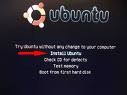
Well..., how to make dual boot our operating systems Windows 7 and Linux Ubuntu 9.10, these days so many operating systems offer Open sources! what are the benefits, of course, we hope not only feel comfort in Grafical User Interface (GUI) but also we are delivered source code, so we can try to make an update, Ge.., we can do this in Linux Ubuntu, but of course we can leave Windows because, we have already been user, perhaps! The assumption, that we will install Dual O.S in a Notebook which has no DVD/CD-ROOM, so we can just need a flash disk as a change, here is the software that we need (Power ISO, uNetBootin-Win and of course Ubuntu 9.10 (it's just about 699MB)), the hardware of course Notebook and a flash disk that contain at least 1GB Here is the step : 1. Restart the computer (Notebook) and then press F2 2. Change the First Boot From Flash Disk 3. Follow the Installation until finish and get the GNOME of Ubuntu 4. after we get the GUI of Ubuntu, clik in "Install Ubuntu...