Posts

Showing posts with the label University Student

O.S Quize for Class MI-14

Image
Some questions : 1. what are benefits and disadvantages of some operating systems (Ubuntu 9.10, Open Solaris 10, Windows 7 and Free BSD), explain them clearly! 2. Explain about three state of process management (ready, blocked and suspended)! 3. Explain about term of deadlock and give a sample. 4. Explain about the starvation and give the sample. 5. Suppose you work as technician, and given a job to sett architecture of computer (analysis and design from O.S which is suitable, computer for client server architecture, some programming that can be applied, the type of network (such as Star, and other), give the reasons! the answer is sent to ader_itb@yahoo.com, before a day of Final Test of O.S!
Download Hospital Project

Image
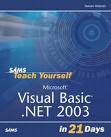
Dear my university students, I was sorry that I couldn't come to the Class, actually today we will build project using Visual Basic.Net 2003 and DBMS of SQL Server 2000, but as a changed, here I upload the material so You can download and practice it. What you need to practice off course your computer which are the Software of Microsoft Visual Basic.Net 2003 and Microsoft SQL Server 2000. Here is the link : Download Hospital Project Part One Well.., The material written in Bahasa Indonesia, Just cheer and Practice it, if there is any problem perhaps you can send Mail to ader_itb@yahoo.com :)

Download VB.Net material

It's about material of Looping with For..Next, Do..While and all Procedure using parameter by Value and by reference. Here is the Link. Well..guys before you downloading, perhaps You wanna get the complit ones, You can buy the Book which is title of "Pemrograman Visual Basic.Net 2005 dan Aplikasi Nyata dengan DBMS SQL Server 2005" that can be got in All Gramedia Book store in Indonesia.Here is the link : Looping and Procedure VB.Net"

Download O.S LInux for Univ.Students

Image
Dear Students. These Days OSS (Open source software)is growing fast, and so LInux as Operating systems. You can download the material for Operating system, especially MI-18, MI-19 and MI-21, here is the material : Instalasi Ubuntu 8.10 If our computer gets Intel of chip, it will be well to install wothout problem.

Download Data Communication

Dear students, I have to apologize due to my Absent, about three weeks I have to go to another city because of my wifes' illness who has just got a baby which 'Cesar operation', that's why for all my students who get lessons in classes on Monday, I upload the material to change the lessons. This material is for University student of UNIKOM MI who took "Komunikasi Data" Download Materi Komdat If there is a lost connection in downloading, please remind me by mail to blog_deya@yahoo.com, Thanks.

Download O.S Material of Univ. UNIKOM

Image
Once again, I have to apologize to universities student of UNIKOM , exactly MI-18, MI-19, and MI-21. Today I couldn't come teach You due to my urgent Task. Please download the material bellow for You to learn, if there is a question you can ask by mail to me. Download O.S Material

"UTS Susulan" of PTI of UNIKOM

Image
Dear My Univ. Students. I have to apologize, I promise you that I would post "Soal UTS Susulan PTI" last tuesday, But I just do it today (friday), I was sorry, here is the "Soal Ujian Ssusulan UTS PTI" You can download it, bellow : UTS Susulan PTI Hope, You can do it soonly, and send to me for correcting at blog_deya@yahoo.com , Thank You.

Download O.S for Univ. Students of UNIKOM

Image
Dear my Univ. Students. I have to apologize to my Univ. student of UNIKOM for MI-18, MI-19, MI-21, and also MI-16-K, because tommorow, I have an enggagment, so I prefare to write the lessons in the Blog. You can download it bellow. And Also, for my University student "Employee Class" I appologize tommorow, I can't get into Class, The material has already been upload, also. Instalasi Mandriva 2008 Hope, You can try it at Campus or your home. Well, Just try to find the disk, or you can download it, if you have good internet service provider. Thank You.

Download PTI for Univ. Students of UNIKOM

Image
Dear my UNiversity students, I have to appologize, 2 weeks ago, I had a permmision not to teach in UNIKOM for my Univ. Students (MI-13, MI-14, MI-15, MI-16K), because my wife was getting a baby in Kuningan. In another day, I have a test in Beloved Campus ITB, so I have to cancelled, also.Now You can download the material of PTI, here is the path : Telekomunikasi Artificiall Intelligence New Download Adsense Material Hope, I can soon, get to the cllas again.Thank You.

Don't give Up!

Image
Well..., My Univ. students, Do not ever give up. If you try to make something and it doesn't work well, just be patient and try to make and make up to succeded. Some of You told me that they couldn't make Script for shoutmix or Feedjit, and even, because its ruther different from taking script, that we must change our HTML codding. But.., just believe in you will find somany Friends in Internet, maybe if You can't do the script in my Blogs, you can try by accessing My friend's Blogs, rigt which appear in my Blog Exactly in Duniaedukasi. What else, just create some articles so that every body can get advantages from your Blog, Agree...! Created By Ader

How to make span Read More!

Image
F irstly, I'd like to apologize for my university students of UNIKOM due to my promise to upload this article yesterday, because there was trouble with internet connection yesterday, So today, Insya Allah, I'll try to make it, here we are : 1. Logon to your Blog with your E-Mail and password 2. Choose Layout --> Edit HTML 3. Give check sign at "Expand Widget template" 4. Place this code just above word here is the code 'span.fullpost {display:inline;}' 'span.fullpost {display:none;}' 5. and then, place these codes between Read More.. ' and '' 6. Click Save HOW TO POST in Read More : 1. If you try to post New article click Edit HTML 2. Write article as you want to 3. By the rest of the article (let's say in middle article write this statement 4. continue write the rest of your article 5. After finishing to write your article, close your article with this statement '> 6. Publish your article Just Try it (Created By Ader)

How to Place Shoutmix' script at Our Blog

Image
At this occasion, we will try to appear shoutmix's java script at our blog, as a tool for visiting each other and leave our message, here are the ways : 1. Log in to your blog, by clicking Sign in 2.Open new window or New Tab of your browser and type : www.shoutmix.com 3. At shoutmix window, click at 'CREATE YOUR SHOUTMIX NOW' 4. Fill in your data, user name, password, email and give checked sign at agreement statement 5. At 2-step; choose the style you like, then click Continue 6. At 3-step; click at 'go to my control panel Now' 7. at window -'Quick start' click 'Get codes' 8. Copy code or the script, then do the same thing to appear at your Blog, by entering to Layout --> Add a Gadget --> HTML/JavaScript, well.. you can give the title like "Message Here !" Created By Ader

How to Make visitor Flag :

Image
Well, guys at this occasion, we will make script for visitor Flag, This tool is just for knowing which countries that comes to our Blog, it's for this reason, then we will know the visitors who always comes to our site, Just Follow the instructions bellow : 1. type this address : http://feedjit.com 2. click on 'Javascript widjet' 3. copy styles of widget as you like 4. Open Your Blog on New Tab or window, then Login to your Blog with your Mail and password 5. On your Dashboard, click on 'layout' 6. Click on 'Add a Gadget', then choose HTML and Javascript 7. You can 'paste' the script that we ha copied before, it's easy right! :) Created By Ader

Menampilkan Java Scipt pada Blog

Image
A da baiknya kalau kita memberikan tambahan berupa script pada blog kita seperti guset book, clock, daftar pengunjung, About untuk membuat pengunjung Blog kita menjadi betah, bukan begitu? Berikut ini adalah langkah-langkah untuk menampilka java script pada Blog kita : Mengambil Script Clock dari ClockLink : 1. Login ke blog anda dengan mengklik 'Sign In', gunakan Email lengkap anda dan password untuk login 2. buka window or Tab baru, lalu ketikan : http://www.clocklink.com/ 3. klik pada pilihan 'Go to clock gallery' 4. Pilih salah satu kelompok Jam yang anda sukai, misalnya Digital 5. pada Gallery digital, pilih salah satu jenis jam yang anda sukai, lalu klik 'view Html tag' 6. klik button Accept pada window persetujuan 'Clocklink' 7. Jangan lupa ubah Time zone menjadi --> Yogyakarta Indonesia 8. Copy script pada window --> mislakan untuk Digital :Name5005 Menampilkan Script ClockLink pada Blog kita : 1. Setelah login ke blog anda dengan Email len...

Membuat Free BLOG at Blogspot

Image
MEMBUAT FREE EMAIL AT GMAIL : Langkah-langkah Membuat Free Email di Gmail : 1. Ketik pada Address browser anda : www.google.com 2. Klik Tab 'Gmail' 3. Klik 'Sign Up ke Gmail' 4. Isi Data Lengkap Anda 5. Jika semua data sudah valid klik button 'Saya menerima. Buat Akunku' MEMBUAT FREE BLOG AT BLOGSPOT 1. Ketik pada address browser anda : www.blogger.com/start 2. Pada Tampilan window blogspot, klik pada 'CIPTAKAN BLOG ANDA' 3. Pada Level-1 --> Isikan data anda,berupa Email dan Password (Email dan Password ini) akan dijadikan sebagai Login ke Blogspot ketika anda menginput artikel atau Update. 4. Isikan semua data termasuk verifikasi kata, dan beri tanda check pada Penerimaan Persyaratan, selanjutnya klik button 'lanjutkan' 5. Pada level-2 --> ISikan judul blog, isikan alamat URL anda ex : My-globalIT , isi kode verifikasi, selanjutnya klik button lanjutkan 6. Langkah berikutnya, adalah Pilih sebuah Template, dan klik button ...